

Create Your Professional AI Voice with ElevenLabs
No possibility to record an audiobook by yourself? If Amazon's Audible is not your desired target, you could create an AI voice with ElevenLabs. I show you how you can even upload that to Spotify.

Most authors would like to publish their books also in an audiobook version, ideally distributed on marketplaces like Spotify or Audible within Amazon to reach the largest audience worldwide. But that dream comes with at least two obstacles:
Readers enjoy listening to the author instead of professional narrators
Audible has high production standards not allowing AI voices
How to make that happen, especially when the Audible approach (as I shared in this article) is not an option? That’s where professional AI voice creation in ElevenLabs comes handy.
To be honest, in the past many authors dismissed AI narration because it sounded robotic. That’s no longer true any more.
When I let friends listen to samples created with ElevenLabs, most couldn’t tell where my own recording ended and the AI version began. Still, I declared honestly that it has been created by a digital voice.
In this article I describe the process following these steps:
Introducing ElevenLabs
Cloning my voice
Preparing the script
Exporting the audio tracks
Publishing to Spotify
Publishing broadly
At the bottom of this article I share a 9-min video walking through ElevenLabs while creating my first AI created audiobook. This is for my paid readers and worth upgrading adding more deep dive implementation videos as we go.
1. Introducing ElevenLabs
Before I went into a recording studio to record my latest book Reinvent Down Under by myself which is available on Audible, I gave AI narration a serious test for my fairy tale books.
To be honest, I didn’t see AI as replacing my voice but amplifying it and wondered whether AI could help with shorter books, translations or future editions.
While my previous article focused on recording in a studio environment, this AI company takes a completely different approach. Instead of speaking into a microphone for hours, you provide a manuscript and choose how it should be narrated.
You can select one of the many built-in AI voices or create a digital version of your own voice after recording a short voice sample. Within minutes, the platform generates natural-sounding narration chapter by chapter, ready for review and export.
Unlike traditional text-to-speech tools that often sound like a machine, the 2022 founded ElevenLabs is designed to reproduce the rhythm, pauses and intonation of human speech. Sure, it is not perfect and sometimes struggles with unusual names or foreign words. Testing it initially three years ago, the quality has improved dramatically since then.
In this article, I’ll show you how I created my own professional AI voice, prepared my manuscript accordingly and published it through ElevenReader. While writing these lines, I uploaded another book to Spotify this way.
Paid subscribers can also follow along with my step-by-step Loom video tutorial further below.
2. Cloning my voice
Once signed up for free to ElevenLabs*, you will see several parts:
ElevenCreative is the lab where you can create ultra-realistic speech, turn ideas into videos, compose music in any genre or design immersive sound effects. Besides audiobooks, you can craft your next film, ad, campaign, social content or podcast.
ElevenAgents is the place to configure, deploy and monitor natural, human-sounding agents in 70+ languages with leading accuracy across voice or chat.
The other parts include ElevenAPI to build anything with a powerful host of APIs, and ElevenReader as their publishing platform.
Good thing: starting with ElevenLabs is free – but that only includes a choice of predefined voices with 10K credits per month (they’re consumed quickly).
With the Starter Plan for $6 USD per month we will create our own voice, have 30K monthly credits and can run 20 projects. It even includes a commercial licence which is good as we want to sell our audiobooks.
The first step within ElevenCreative is called Instant Voice Clone which only needs 10 seconds of any recorded audio which you can record on the spot or upload any file you spoke in your natural voice:
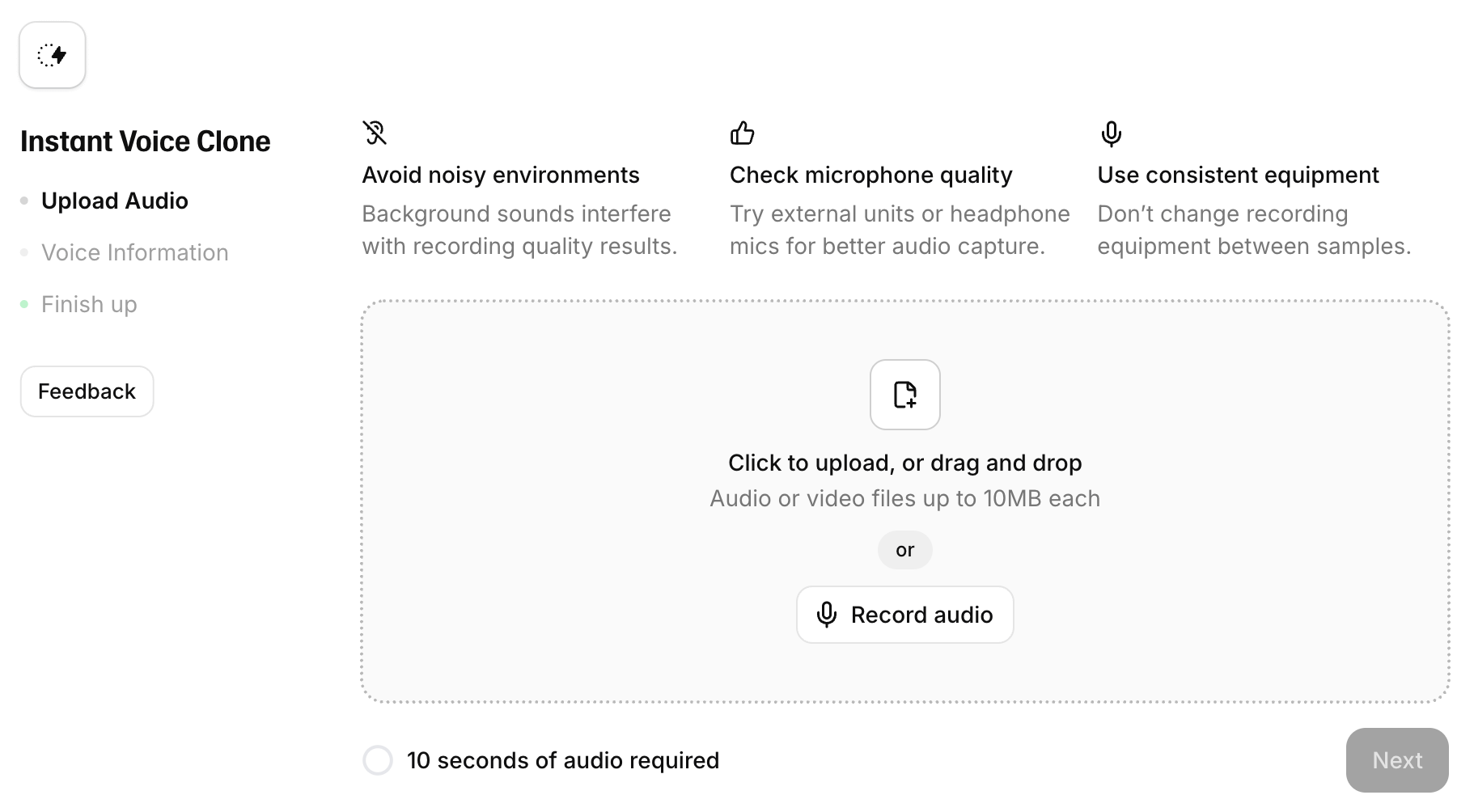
Once uploaded, you can give your voice a name and use it for recording anything – from social media posts to Substack articles up to full books.
To get better results that sounds even more like yourself, you can upgrade to the Creator Plan for $22 USD per month which comes with professional voice cloning and 121K credits per month. It requires uploading at least 30 minutes of well recorded voice samples – and you can only have one professional voice clone in the plan.
A quick word on the credits: ElevenLabs charges by characters, not by words. English language has roughly six characters per word (including blank), German has seven (that’s my own experience after writing 33 books, 450 articles and thousands of blog posts).
Approx. 100K credits are good for a book of 16K-20K words. This can be influenced by the chosen model as well. I needed more credits for my first book on the 30K Starter Plan so I added them for that month without upgrading my plan.
ElevenCreative even recognised that I have a German accent. Here are all my three created voices with one being on the Professional level and two regular:
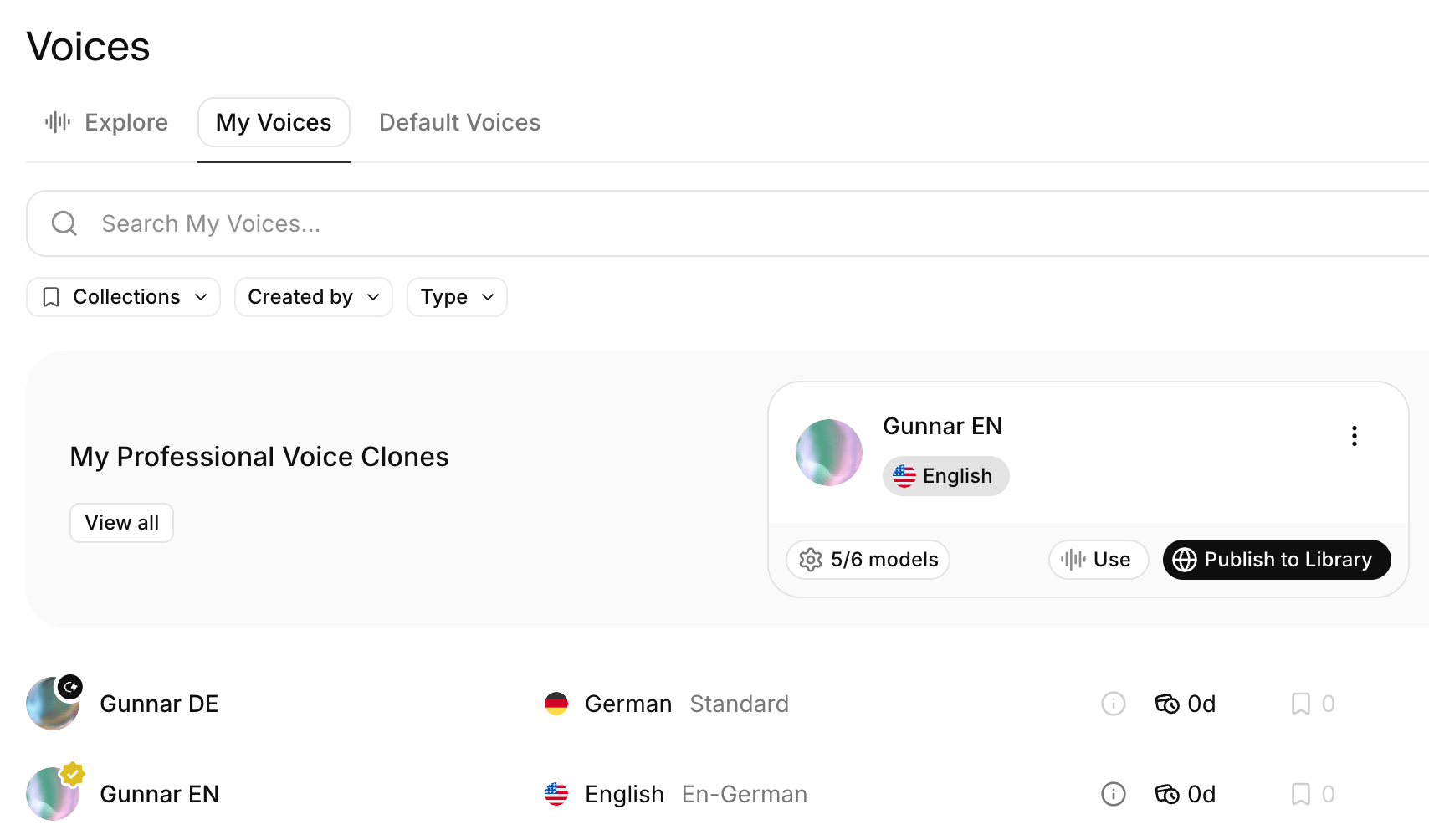
During the last Christmas break I recorded my book Happy Habits in the silent Boardroom of the legendary Castlereagh Boutique Hotel in Sydney in good old British style with large curtains. The files were apparently good enough as a professional voice clone which I then used for my fairy tales in English.
I also added a regular voice clone in German by uploading five minutes of reading the concrete German book. The recognisable difference towards the professional voice is in the pausing between words and the melody composition across long sentences.
Feedback from my English fairy tale editor, Belle: “In which studio did you record the book with that nice silence around you?” She was surprised to hear it was done by AI!
3. Preparing the script
Starting a new project in the Studio area is easy by either typing, speaking or uploading text.
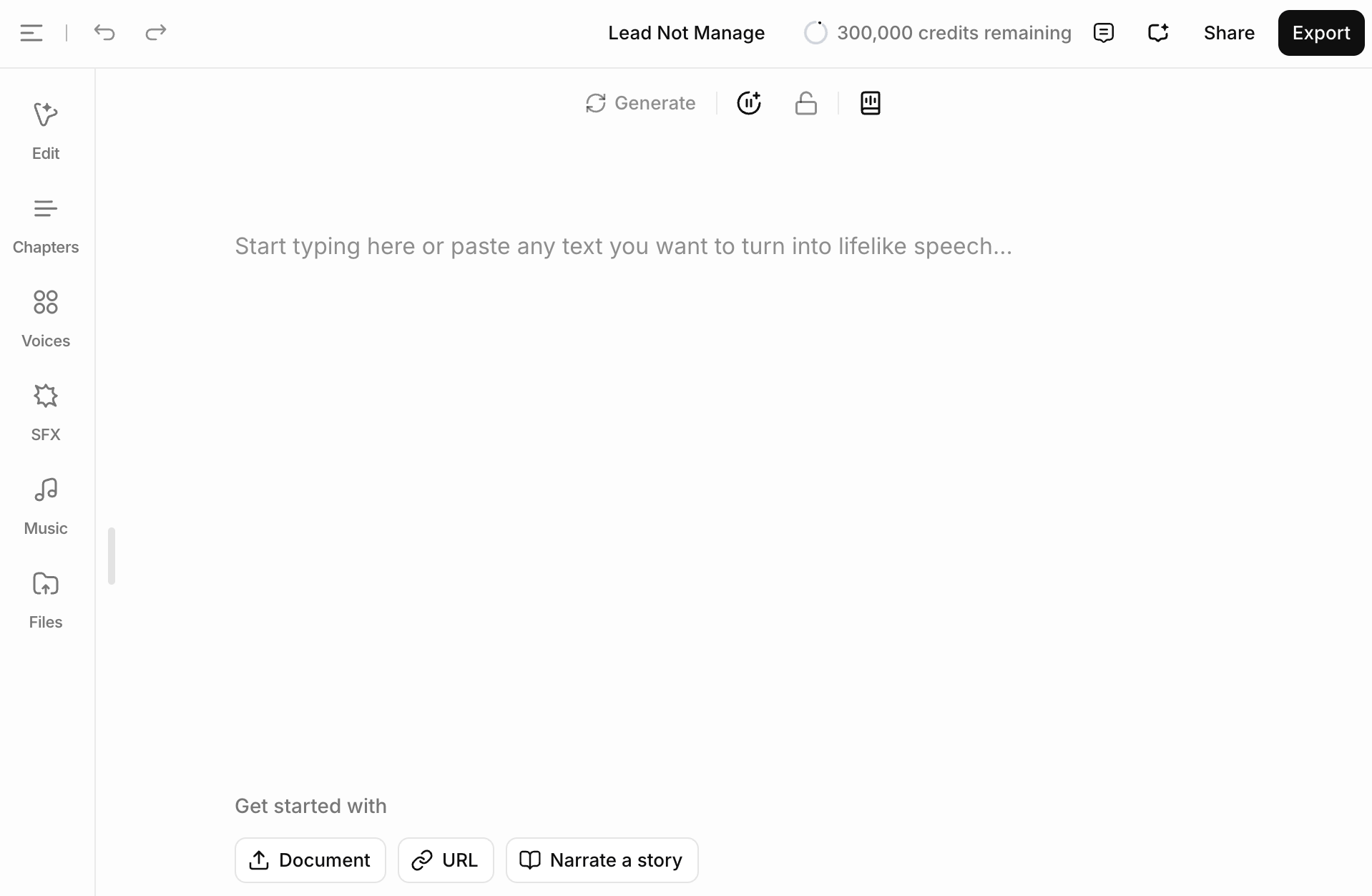
After importing the text from the book in any format, it’s important to reformat the whole script so that it is easily readable. ElevenLabs understands h1-h3 headlines and body text which is important for rebuilding the table of content of the audiobook.
In the example of my book Lead Not Manage, I deleted what was not necessary and kept only what’s required for a listener. This book has five chapters with their titles which becoming the h1 headlines. The import showed the subchapters also as h1 headlines which would destroy the intended structure so I assigned them the h2 headline level.
You need to define at this stage if your book should have plenty of files or only one per chapter. Being a listener myself, I want to press play once and hear the entire chapter instead of skipping through many short tracks every few minutes. Audiobook listeners typically consume content while driving, walking or exercising; they don’t navigate it like reading an eBook.
It comes with clear advantages: better listening flow with fewer interruptions, cleaner table of contents in Audible and Spotify, easier production with fewer files to export and upload as well as simpler editing without managing dozens of individual tracks.
Most books on Audible include plenty of separate files though as it can list subchapters below a chapter; ElevenLabs is more limited in this point.
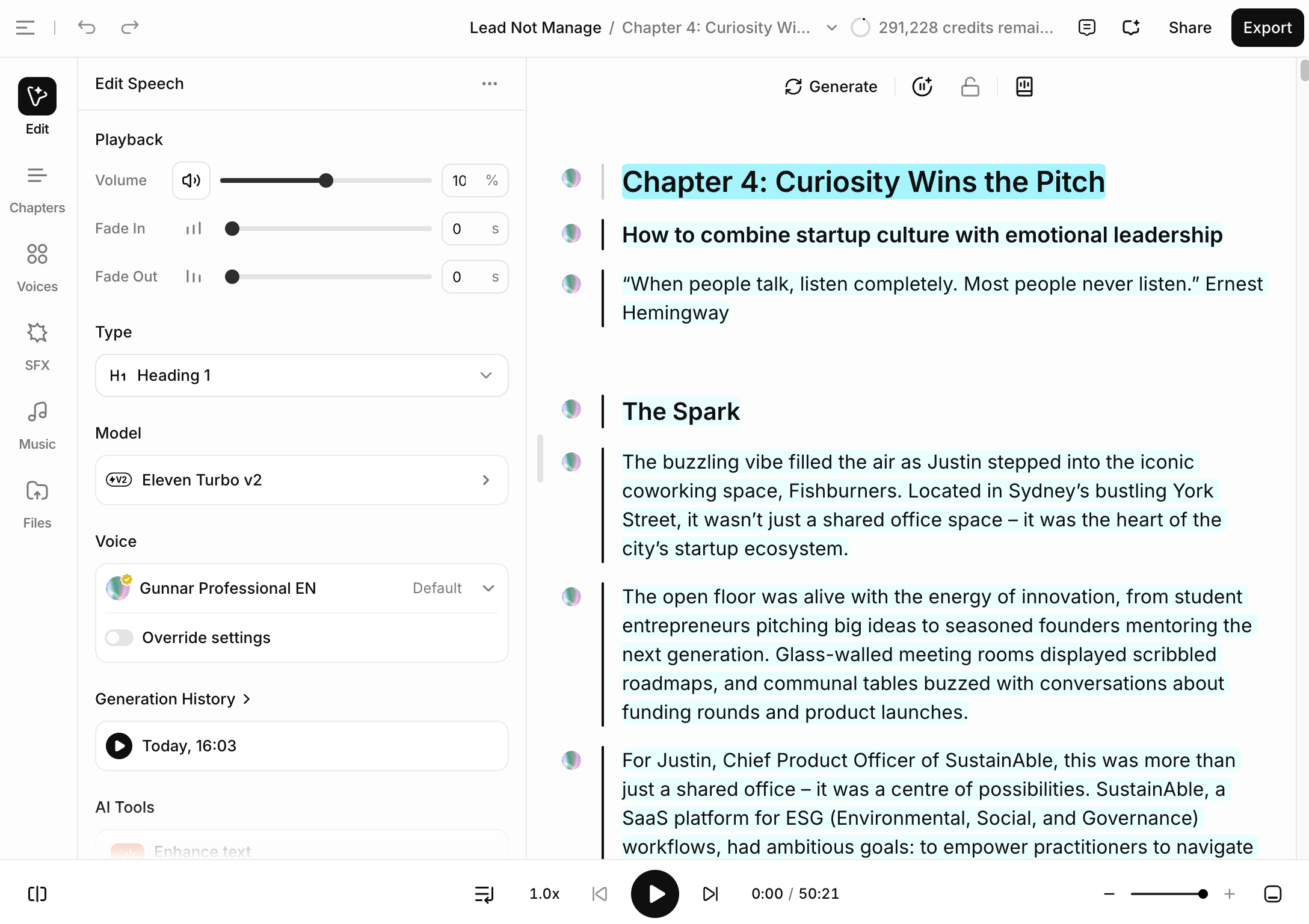
Once the approach towards chapters and subchapters became clear, it’s time to finish the editing process for the whole project.
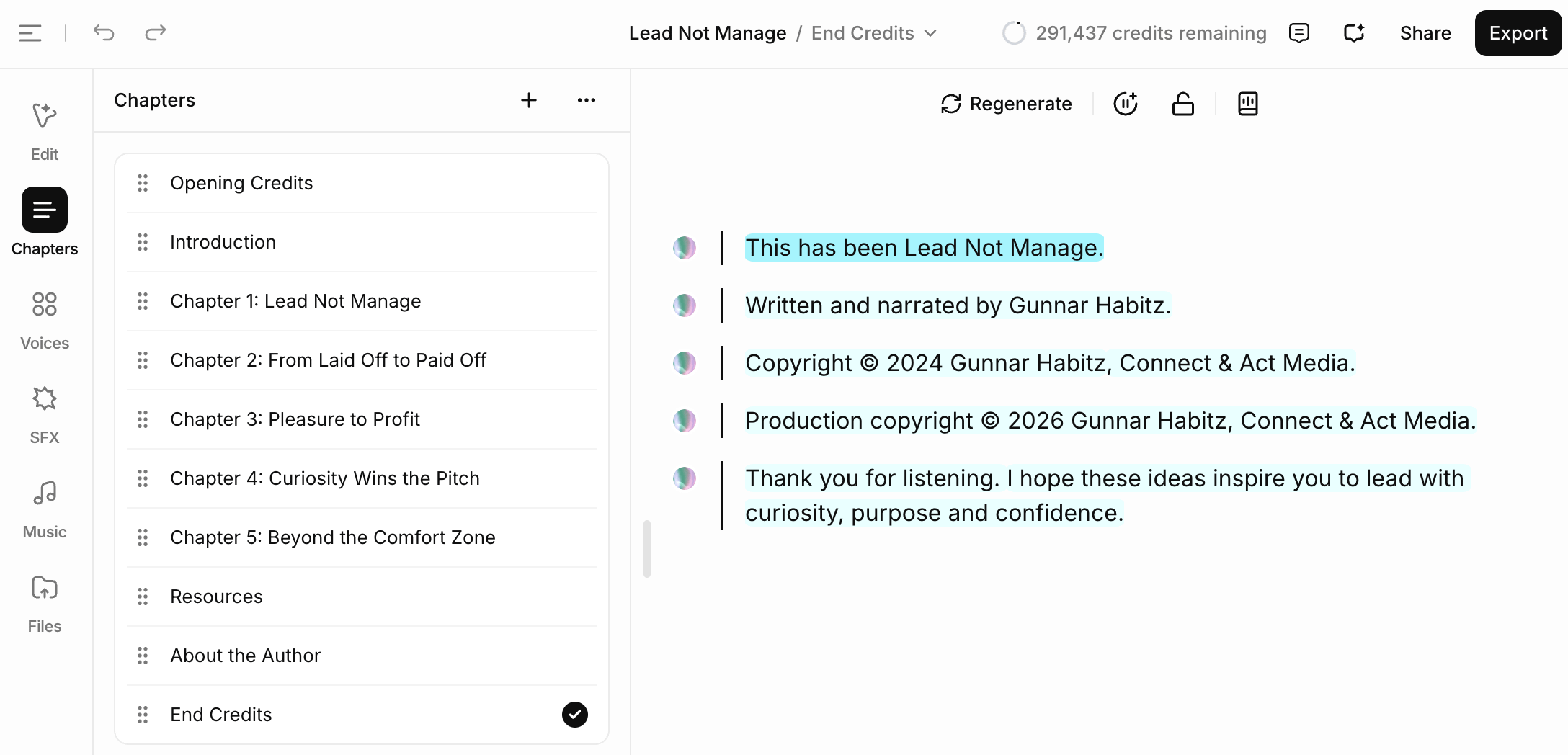
Professional audiobooks include Opening Credits and End Credits as individual files announcing the copyright of the writer and mentioning the narrator including the year of publication of book and audiobook production:
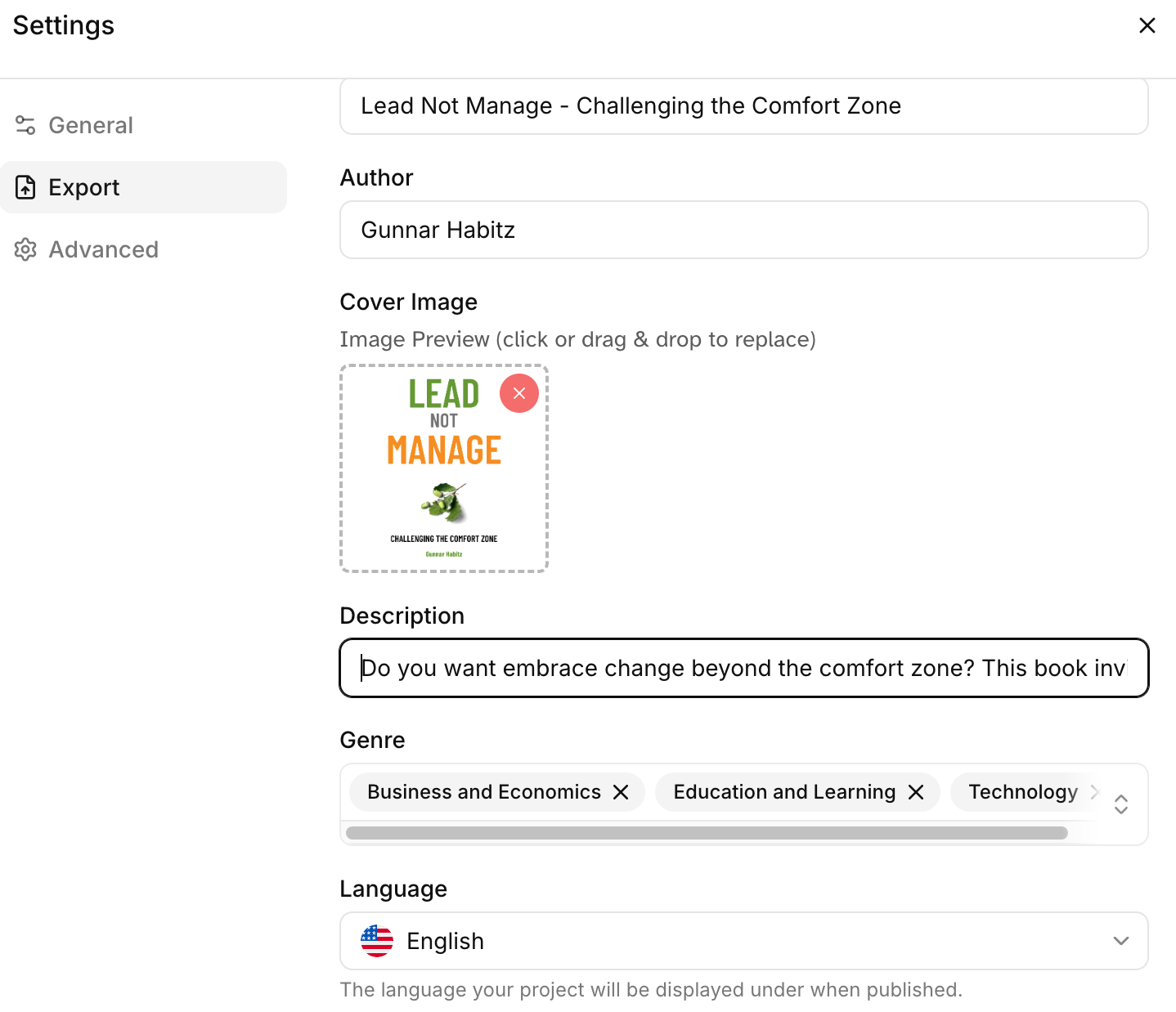
Next step was to complete the Project Settings which were included in the export process. On the Advanced screen I recommend normalising audio quality so that the noise level in decibel is adjusted to audiobook standards.
4. Exporting the audio tracks
Once the editing part is completed, the tracks can be generated on the fly by pressing on “Generate” chapter by chapter or even for single paragraphs. When you change anything, the paragraphs are regenerated.
By clicking on “Export”, all missing pieces are generated so you don’t have to bother about the individual tracks.
Please choose the options as I did in this screenshot: full project (unless you need only individual chapters), audio, chapter ZIPs (instead of one long recording) and then the audio format (you need MP3 but want WAV as well):
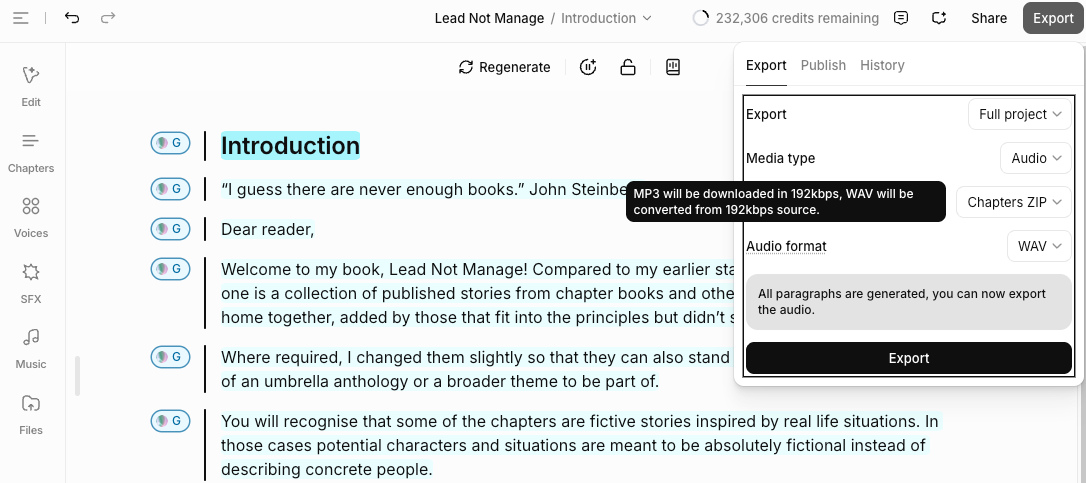
Tip: Even if your distribution towards Spotify or ElevenReader ultimately requires MP3 files, export your audiobook from ElevenLabs as WAV first. That format preserves the highest audio quality and provides a permanent master copy for future editing, remastering or distribution. Converting a WAV master to MP3 is straightforward, whereas restoring quality from an MP3 is impossible.
In my case I exported in both formats and am actually happy that the MP3 export already converts with a constant bit rate of 192 kbps. That’s the standard for professional audio tracks so no further treatment will be required.
Here is my example book in numbers: 24K words across 96 pages reads as 2.5 hours audio in normal speed. It required roughly 60K credits using the Turbo model, 50% cheaper than multi-language full AI models.
5. Publishing to Spotify
ElevenLabs has a range of publishing options right from the menu on the top right:
ElevenReader: Their own marketplace without a need for exclusivity but not well known yet.
Spotify: The publishing process experts directly without any third party in between.
INaudio: This is the platform I used to publish my human recording on Audible and others; here it is recommended for all except Spotify and Audible.
AudioNative: This way you can upload your book to your website; not the option to sell the book that way.
In my example I exported to Spotify first. A modal appeared explaining the process. On the Audio Preview screen, I selected which chapter I wanted to use for the free audio preview with the first 5 minutes of that chapter to be used.
Then I adjusted the narrator name that would appear in the audiobook credits to differ from the internal name I used within ElevenLabs to what my readers should see. Spotify typically lists that as “Digital Voice”, followed by the name of the voice used. Once those files are exported with all that Spotify needs, I got another Zip file with MP3 files.
As a next step I logged in to Spotify for Authors and selected “New Audiobook”. Finally I uploaded my MP3 files and followed the platform’s steps to distribute my new audiobook, Lead Not Manage.
After uploading all MP3 files from ElevenLabs the track names need to be added manually, ideally again with “Chapter 1: …” before the title using a colon.
Important to notice:
Spotify requires an Audiobook sample which should be less than ten minutes long; obviously without any spoilers or explicit content.
The classification of three categories follows the global BISAC structure – just type some words and it comes up with the right categories.
An ISBN number for the audiobook format is not required.
Publishing on Spotify is best directly, not using INAudio as you can’t influence your listing or the file names directly.
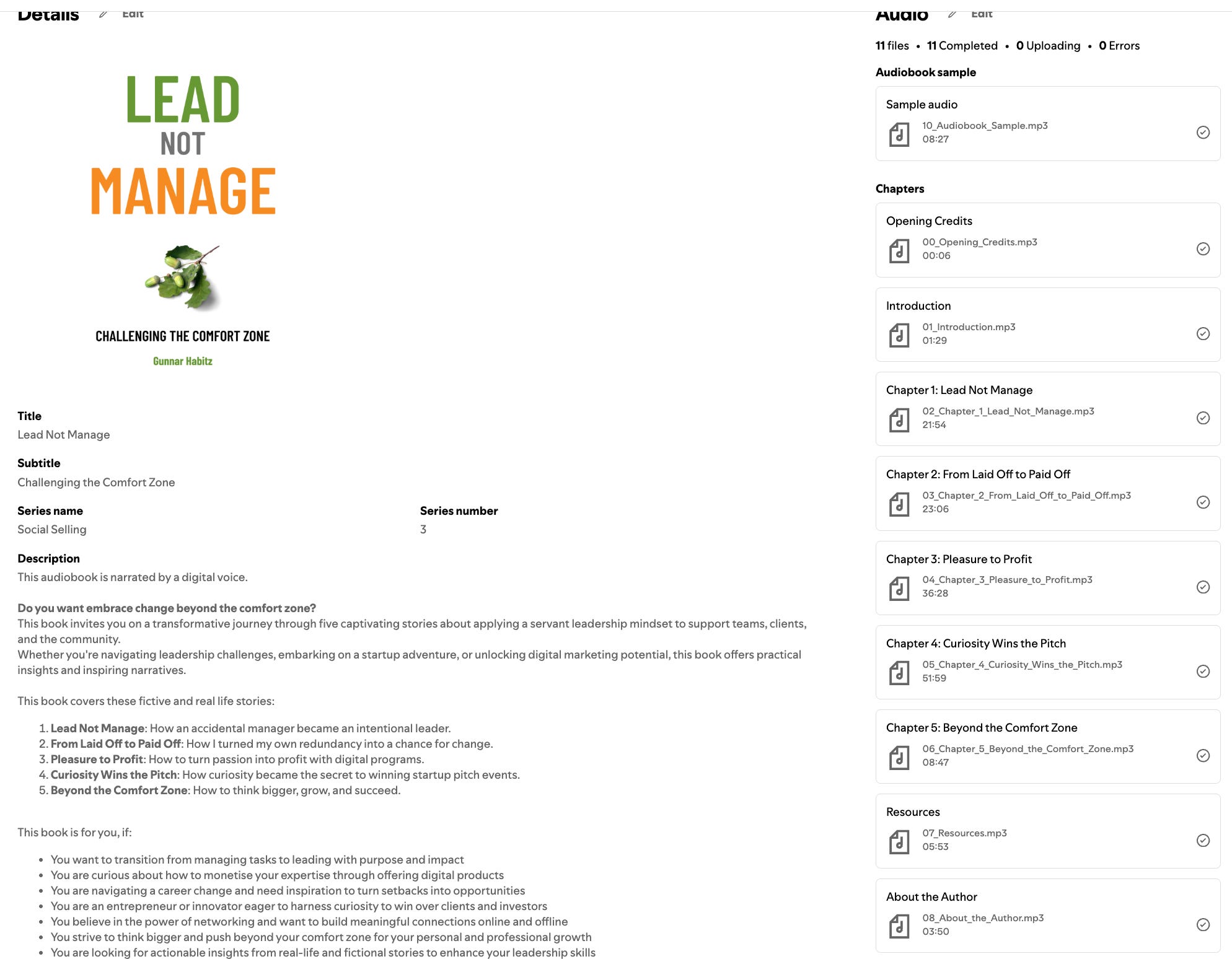
Afterwards it takes up to 72 hours that the book will appear on Spotify.
6. Publishing to ElevenReader
ElevenLabs created their own publishing platform called ElevenReader. While not that known as a marketplace it will surely develop and gain traction over time.
Why would you publish to this platform? Compared to Audible, Spotify and others, it simply earns more per audiobook:
ElevenReader
Direct sales earn 60% net revenue share.
Subscriber streaming approx. $0.20/hour streamed (capped per listener).
Audible
Royalty rate: 25% (exclusive) or 40% (non-exclusive) for indie creators.
Spotify
Royalty rate: Paid out via a pro-rata shared revenue pool based on listener consumption hours within the 15-hour monthly tier or individual purchases.
In terms of exporting workload, the only visible difference is a new cover dimension in a rectangular format of 1200x1800 px, not square as all other platforms. During the process it will suggest a cropped version which might be just fine as in my example, otherwise you can upload the ebook or paperback covers (or just recreate with the proper dimensions).
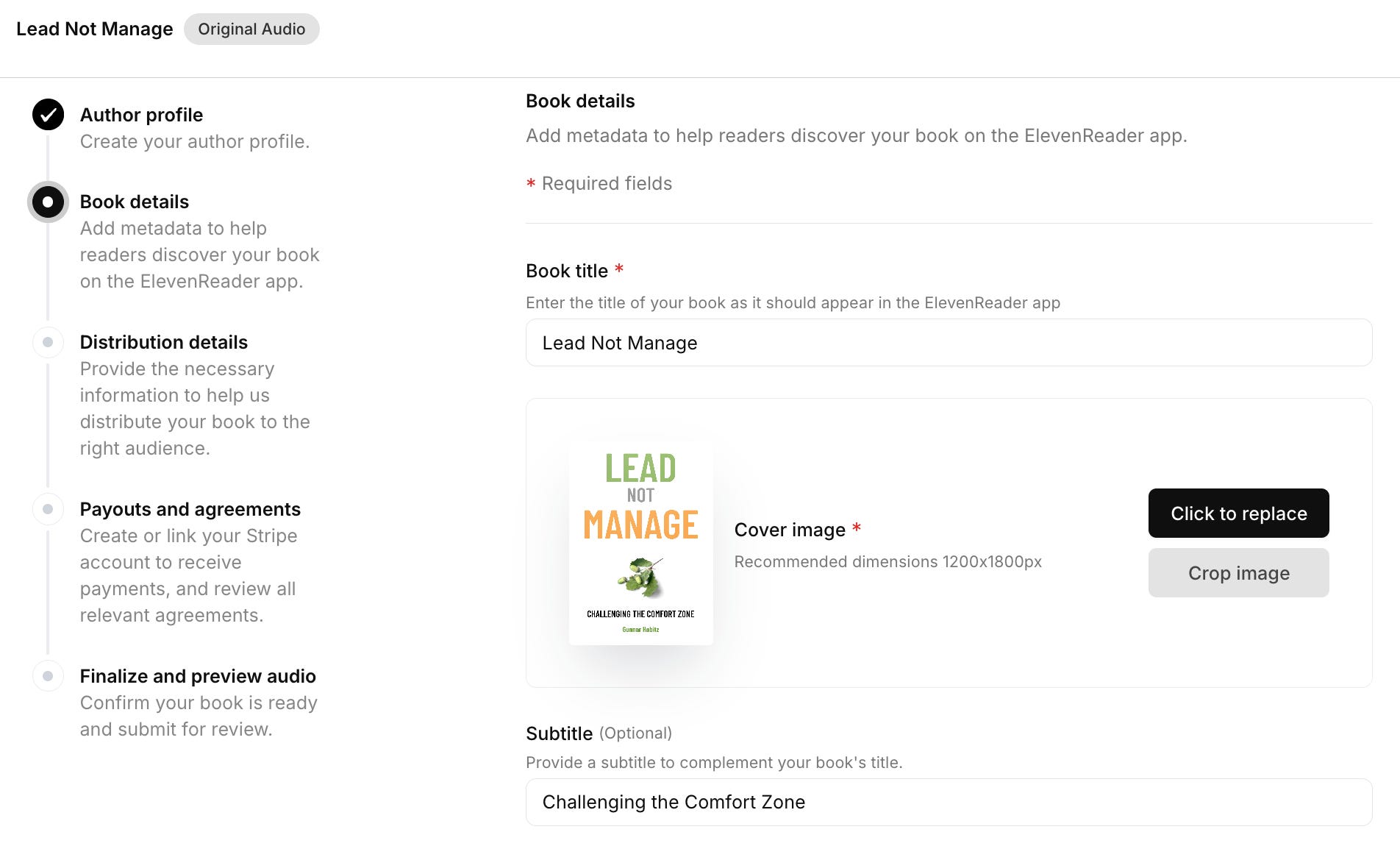
Once published, you can share your book’s link or use your book’s QR code to deep link directly into the app.
Payout is handled exclusively by Stripe and issued weekly once your accrued earnings reach a minimum of $10 USD.
7. Publishing broadly
As the final step I suggest publishing with INaudio as this allows wide distribution. Think about Barnes & Noble, Rakuten and other marketplaces. We only need to make sure that we don’t select Spotify over there as we handled that above.
When publishing directly from ElevenLabs to INaudio, the platform no longer exports individual MP3 files as it did in the past. Instead, it creates a single LPF package containing the audiobook audio, chapter structure, narrator information and metadata. Uploading this LPF file to InAudio dramatically simplifies the publishing process compared to manually uploading dozens of audio files.
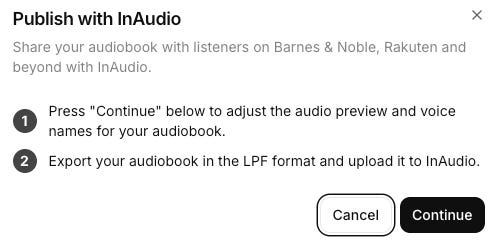
Pricing and payout are handled through INaudio which I already explained in my earlier article.
What’s Next
If you can’t or don’t want to record an audiobook by yourself, you can create an AI voice clone. While you can’t upload that to Audible, there are various places where you can sell that including Spotify.
👉 Here is an overview of this series:
Part 2: Record Your Own Audiobook
Part 3: Create a Professional AI Voice with ElevenLabs (this article)
Part 4: Produce ACX-Ready Audio for Audible
Part 5: Learn from Fellow Authors for Inspiration
* affiliate link for ElevenLabs
Your Move
What is your experience in recording and publishing audiobooks?
Feel free to share your experience in the comments – I read every response and it helps shape the next parts of this series.
*****
I create more long-format articles for upcoming and existing authors. Please consider upgrading as a paid member to get more benefits like that.
Detailed Tutorial
If you want to see the publishing process with ElevenLabs in action, please watch this 9-min video which I created from recording my fairy tale book, The Smile That Sailed Away.
This recording is for my paid subscribers.
